Resend Webhook
While using the service, you may encounter a situation where your server failed to process a Webhook and you need it to be resent.
You have two methods to solve this issue
1. Resend Webhook using the Dashboard
To resend, go to the Operations section, find the order you are interested in, click the Actions button in the far-right column, and select Notify from the available list.
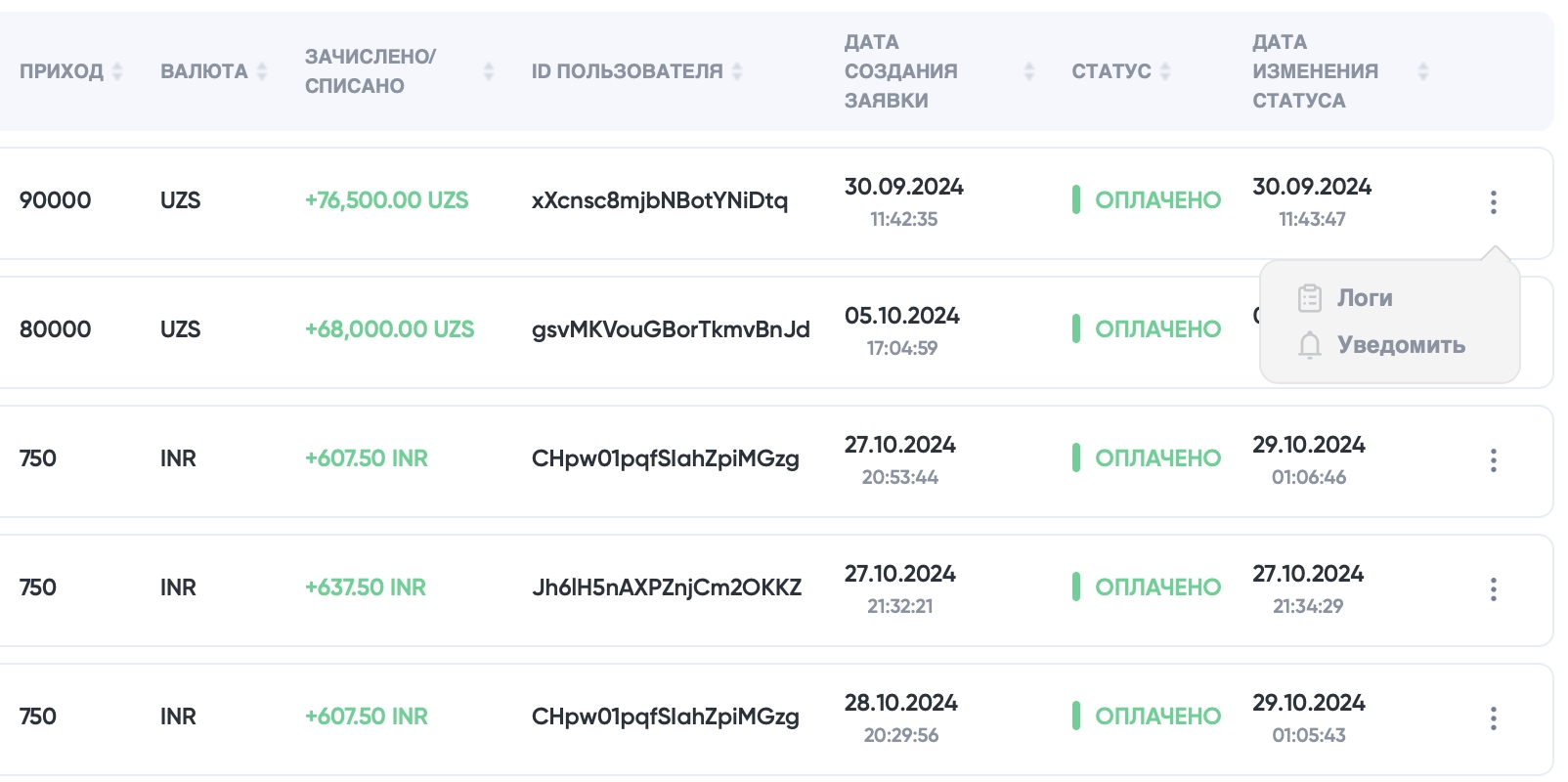
2. Resend webhook using API
Notify using UUID
POST https://api.payouter.com/payments/resend
Headers
Name
Value
Content-Type
application/json
Signature
Signed request body
Merchant
Merchant ID
Body
Name
Type
Required
Description
uuid
string
true
Invoice UUID
Response
{
    "data": {
        "attributes": {
            "status": "ok"
        }
    },
    "meta": {}
}{
"data": null,
"error": {
"status": 400,
"name": "BadRequestError",
"message": "Bad request, Order not found",
"details": {}
}
}Notify using your identifier
POST https://api.payouter.com/payments/resend
Headers
Name
Value
Content-Type
application/json
Signature
Signed request body
Merchant
Merchant ID
Body
Name
Type
Required
Description
order_id
string
true
Customer order ID on the invoice
Response
{
    "data": {
        "attributes": {
            "status": "ok"
        }
    },
    "meta": {}
}{
"data": null,
"error": {
"status": 400,
"name": "BadRequestError",
"message": "Bad request, Order not found",
"details": {}
}
}Last updated